UHC PSF (initial)
The following steps of submitting a PSF is only for patient type; New to our office, Established new condition, or Established gap in care of ≥90 days.
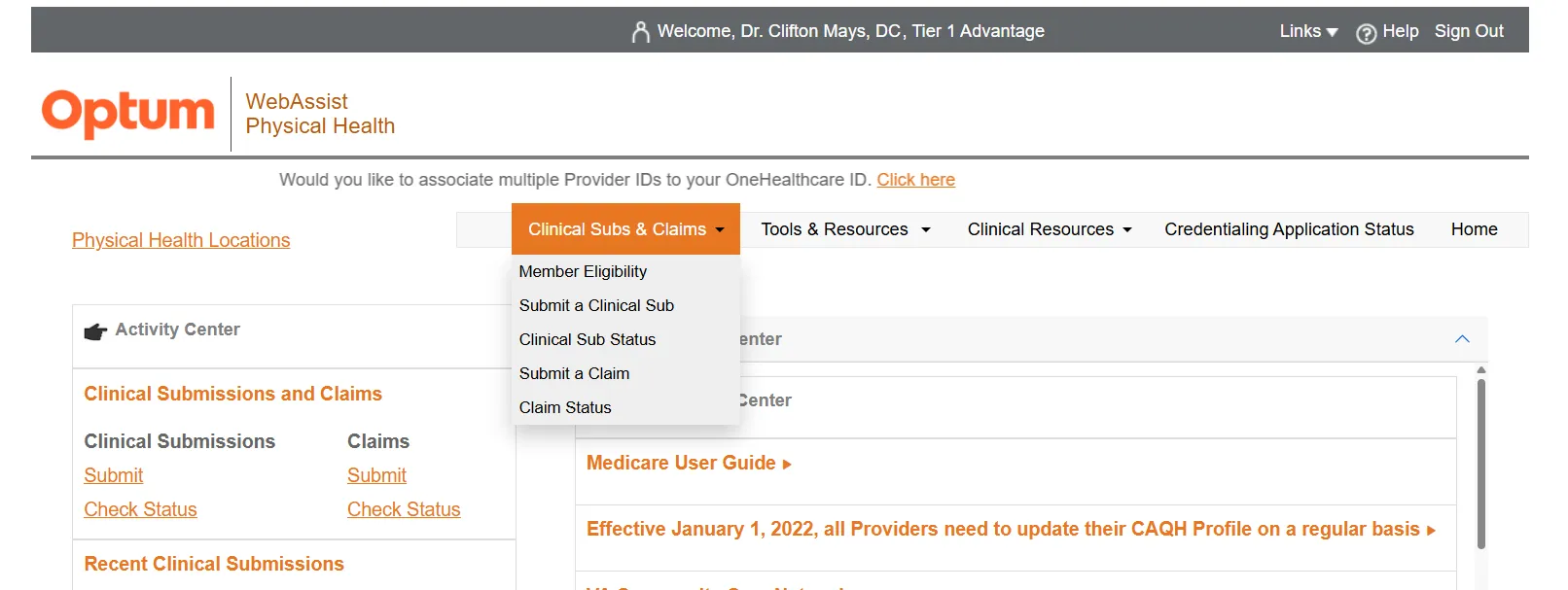
On the drop menu or side menu, select 'Submit a Clinical Sub'
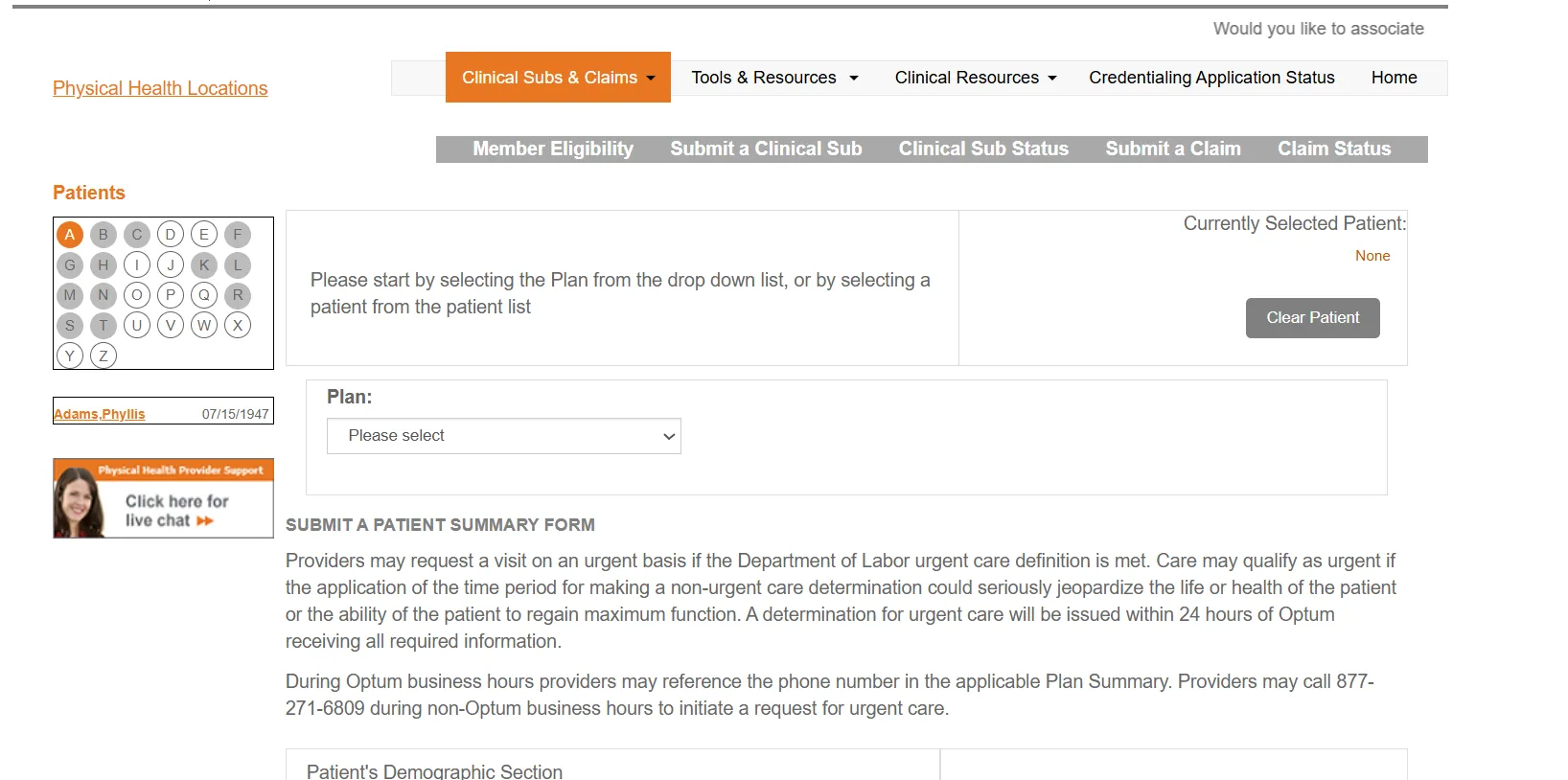
Next screen will be 'Plan' Select the patients Health Plan name, then enter the Subscriber/Member ID*
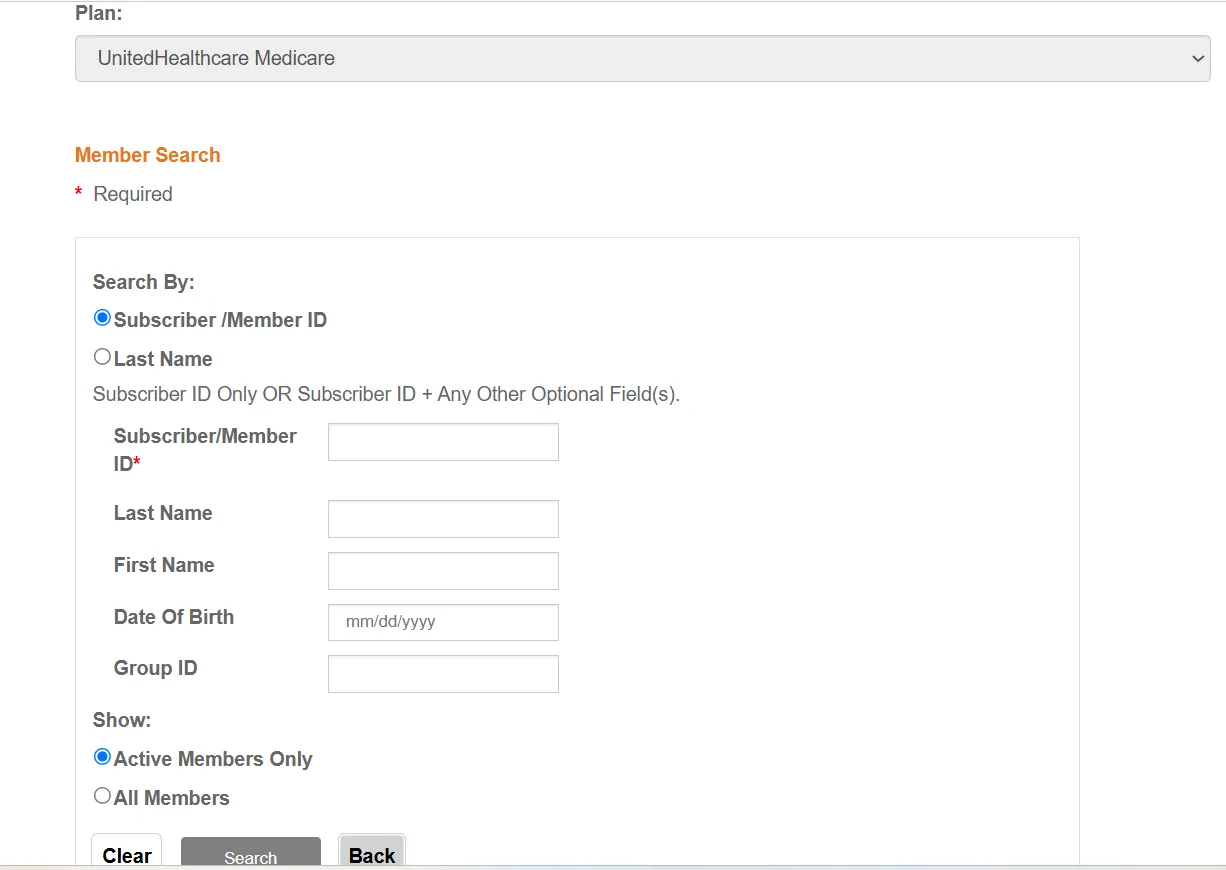
Once entered, select Search
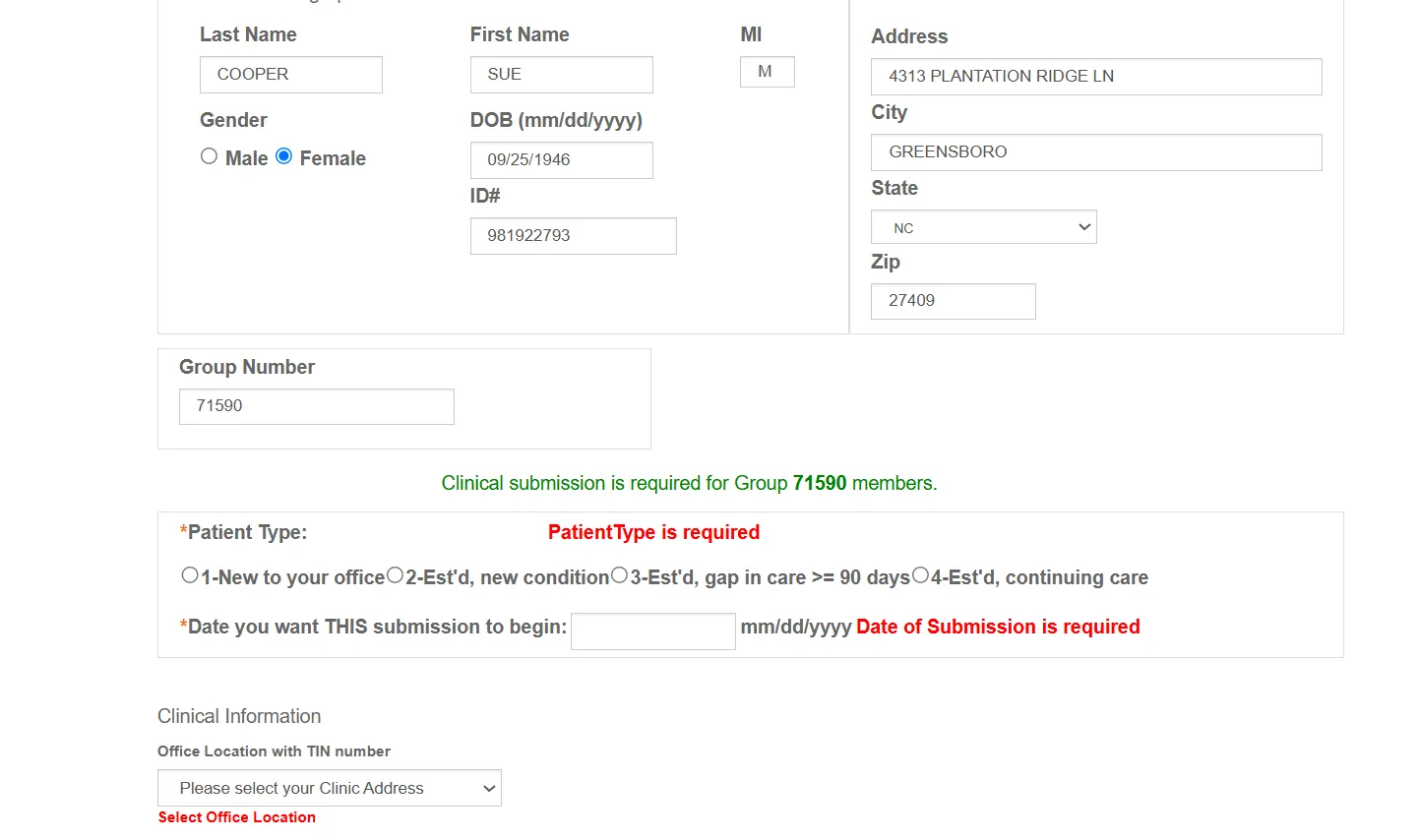
You will confirm if Clinical Submission is required. If it's not required for their Group number, save the current webpage for proof. If Print button is available select it, if not - right click on screen and 'print', 'Save as PDF' (make sure it's in scans folder) 'Last name, First - PSF Non-Required'
If Clinical submission is required, enter information needed.
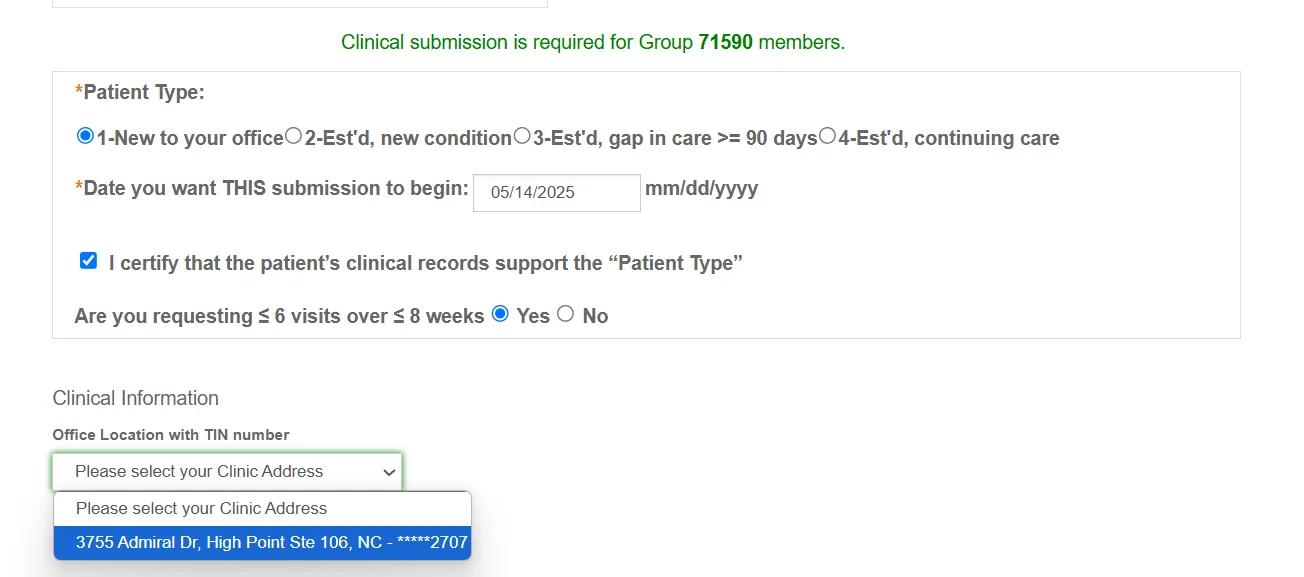
Once you select the office location, the webpage will refresh to the PSF (Patient Summary Form)
Auth Type Submitting for/Credentials: select DC
Place of Service: select 11= Office-Outpatient
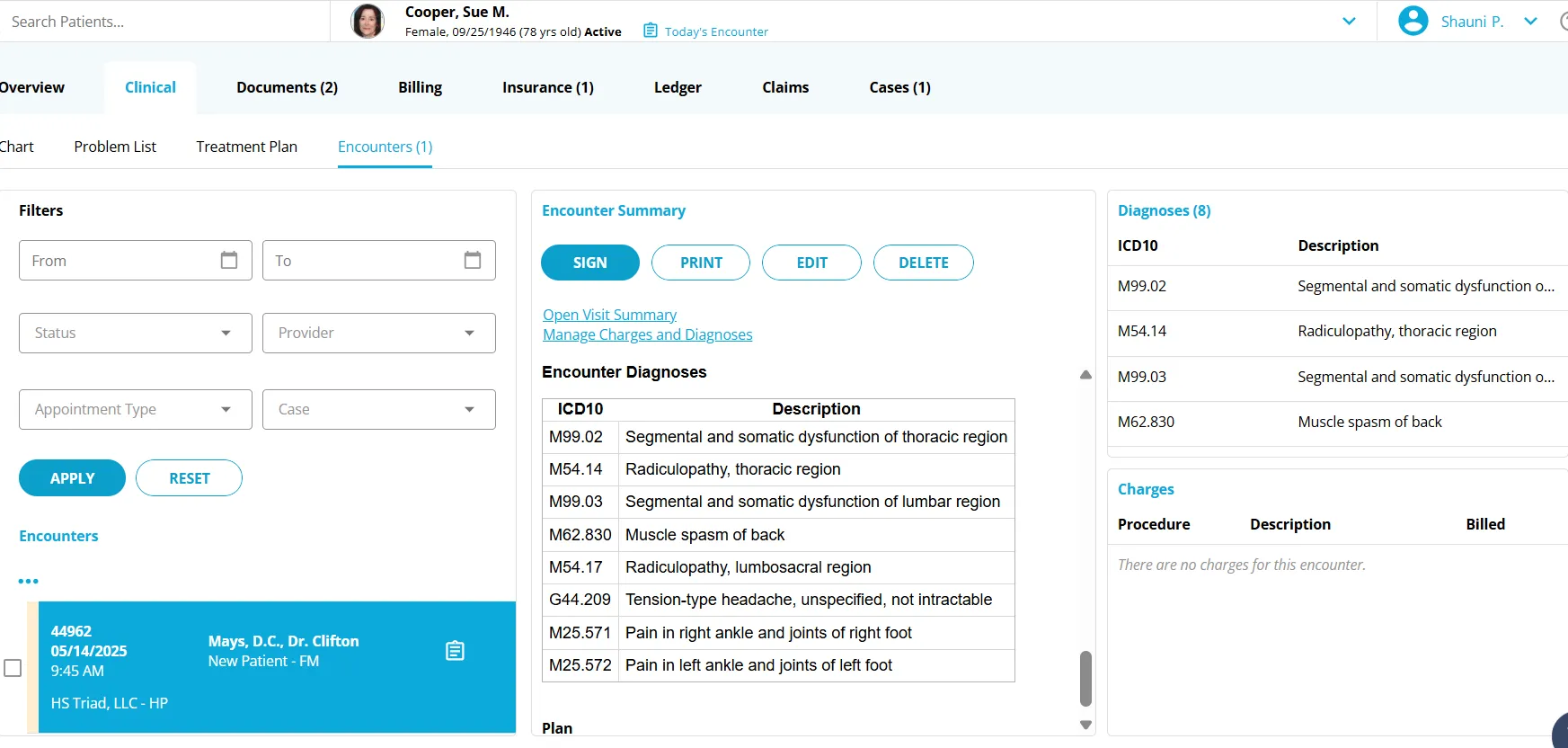
For Diagnosis (ICD code): go to patients chart, click on matching date Encounter, and write each diagnosis in order as they're listed. If there aren't diagnoses in their chart for the new patient, get them from Dr. Mays.
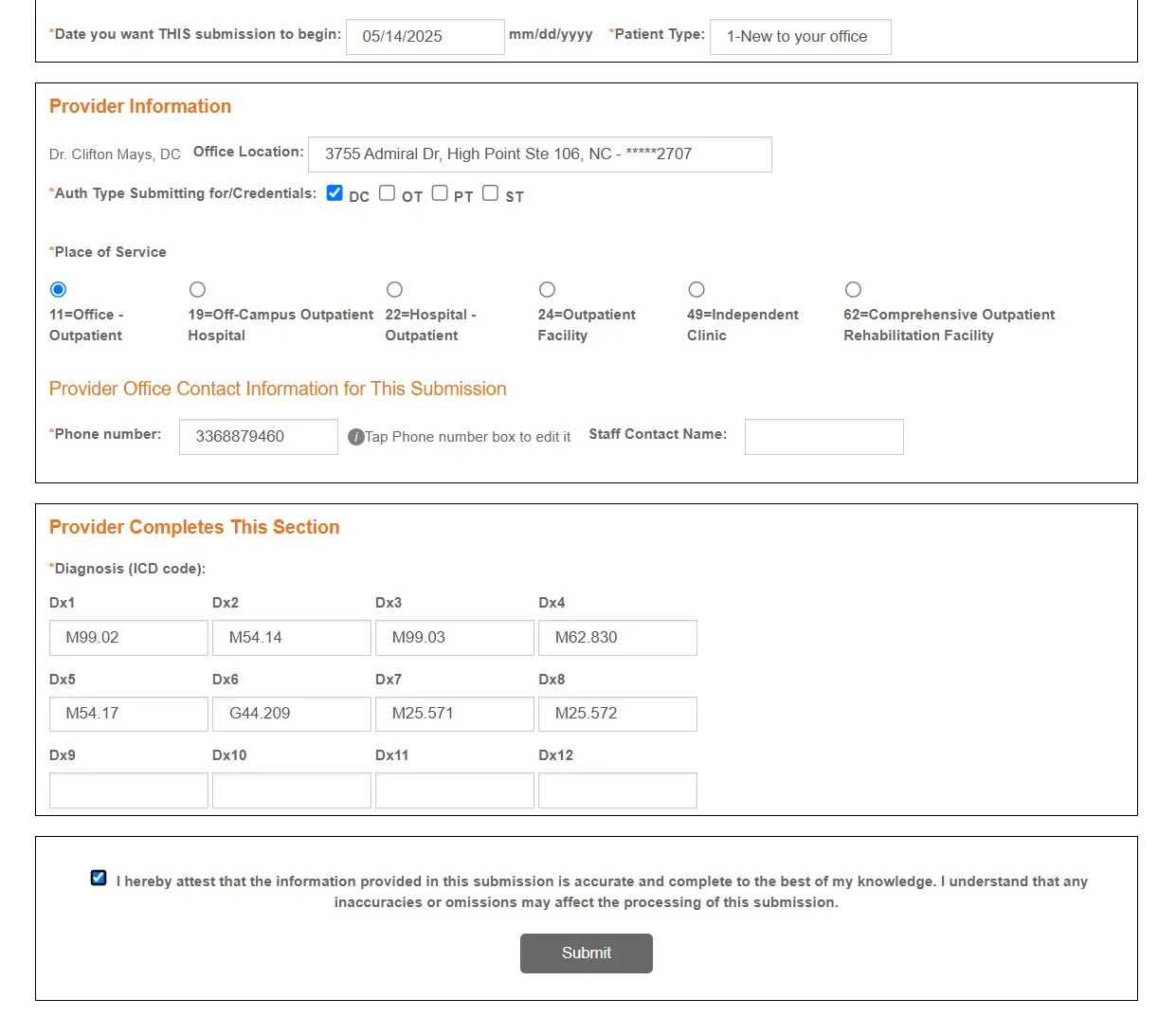
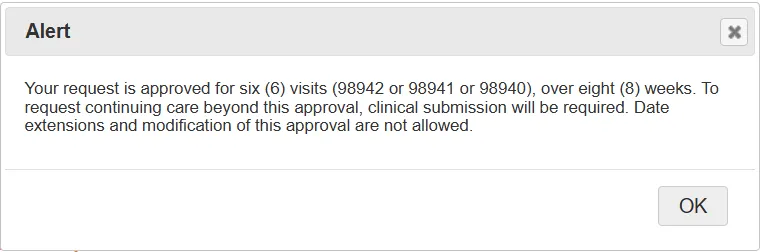
Confirm everything that's entered and select the checkbox to be able to submit the PSF. An alert may pop up of the approval, after reading it select ok.
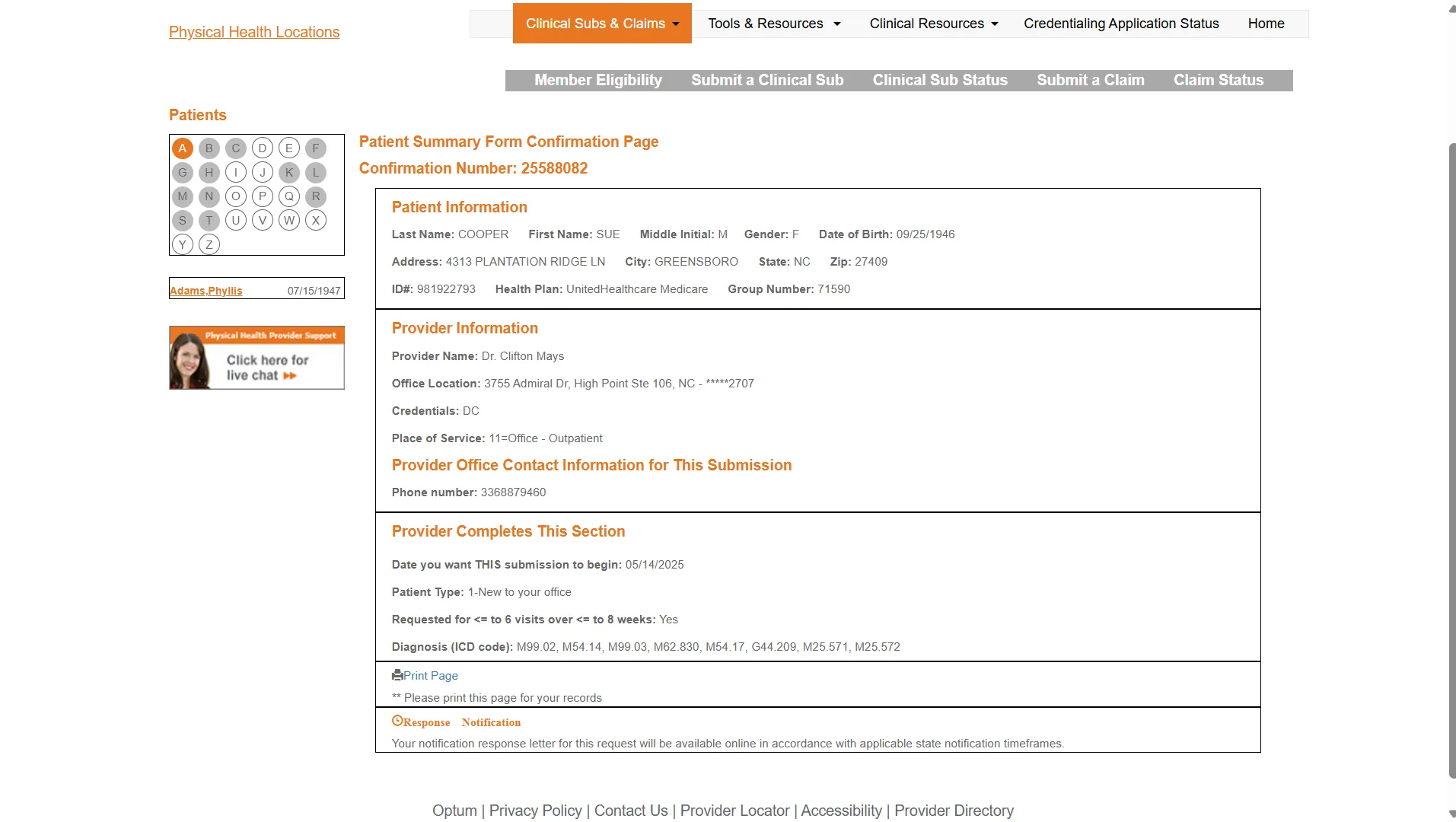
Near the end of the webpage, select Print Page and save as PDF (make sure it's in scans folder), 'Last name, First - PSF Request'
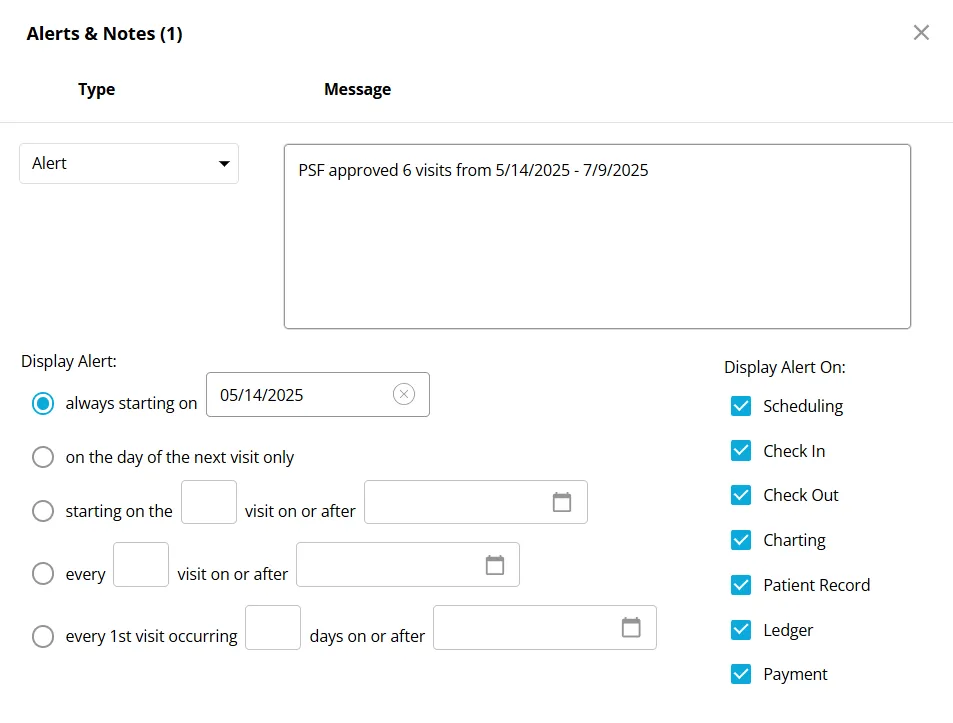
Go to patient's chart notes and as an alert add how many visits and expiration date. ex. PSF approved 6 visits from 5/14/2025 - 7/9/2025
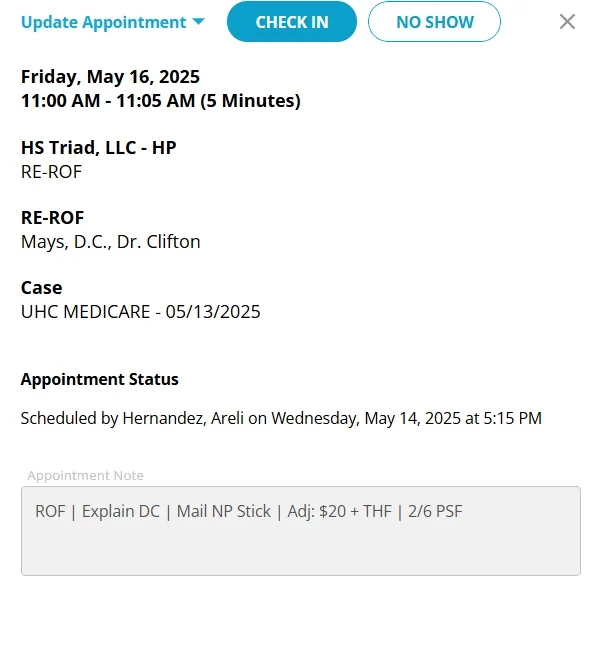
Lastly, keep track of visits in patient's appointment note as well ex. 1/6 PSF